
How to View the Draft Spelthorne Design Code and Have Your Say by Answering a Survey!
See here a step-by-step guide on how to review what is in the first draft of the Code, see how it has responded to the local community’s priorities and give your feedback on it by answering a short su
Spelthorne Design Code
See here a step-by-step guide on how to review what is in the first draft of the Code, see how it has responded to the local community’s priorities and give your feedback on it by answering a short survey.
If you are interested in making sure new developments reflect the character of your community, check out the draft Design Code and have your say!
If you are interested in creating a more attractive, connected, and sustainable Spelthorne, your feedback on the draft Design Code matters!
There is a new opportunity live to share your thoughts on the design of future development in your Borough! A public engagement period gathering opinions on the draft Spelthorne Design Code is now running until 11.59pm on Tuesday 8 April.
After an extensive process of gathering in-depth local data, engaging the community, and gaining feedback from our Citizens' Panel and technical stakeholders, this first draft of the Code has been co-produced by Spelthorne’s local people. We encourage everyone invested in helping to further shaping their community's future to share their thoughts and ideas on the draft Code through our Commonplace engagement hub following the steps below.
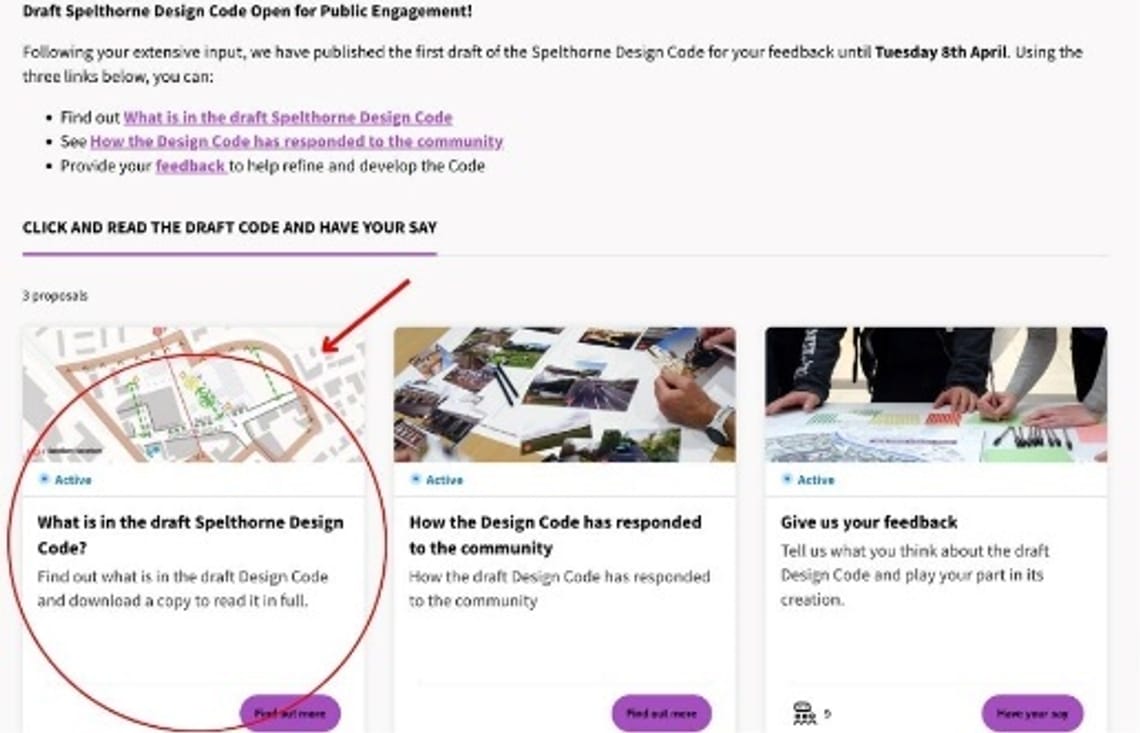
Step 1: Go to the Spelthorne Design Code engagement hub (Commonplace) home page and scroll down to the 3 tiles shown. Click on the 1st tile ‘What is in the draft Spelthorne Design Code?’.
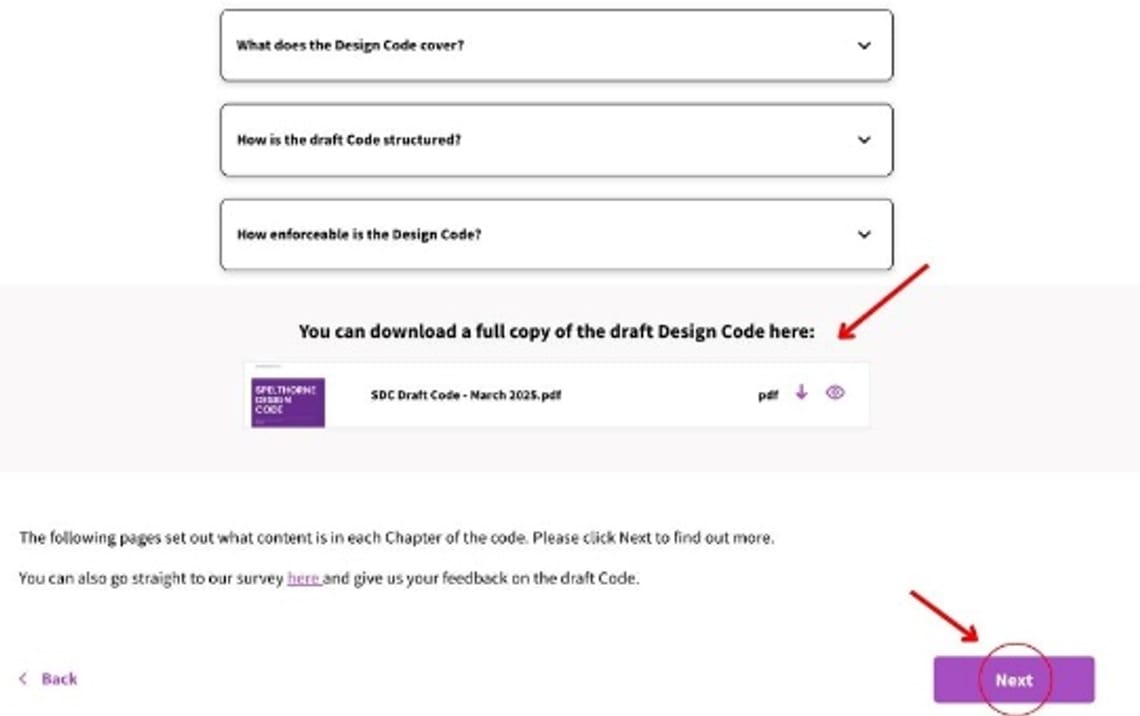
Step 2: At the end of the page, you can download a copy of the draft Code to read and click ‘Next’ to continue finding out about the draft Code and what is in each Chapter.
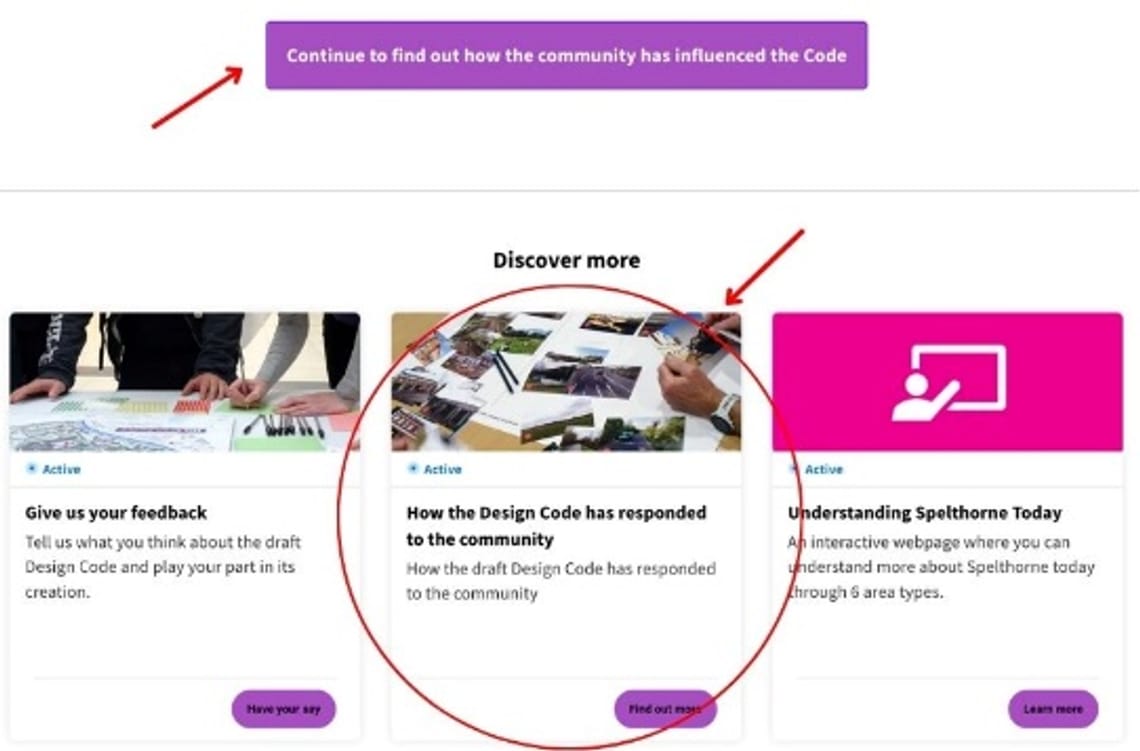
Step 3: After reading all the pages that set out what is in the draft Code, click on the button ‘Continue to find out how the community has influenced the Code’ or the middle tile shown.
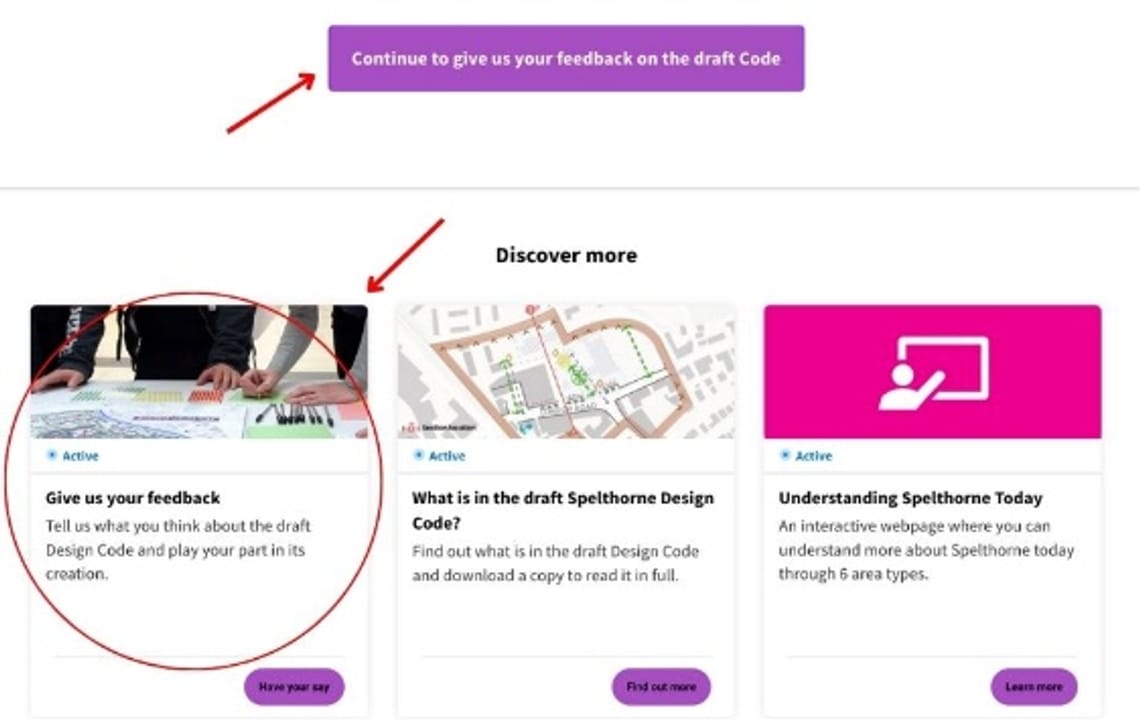
Step 4: Once you have read through the Community Priorities and how the Code has responded, click ‘Continue to give us your feedback on the draft Code’ or the tile on the left below.
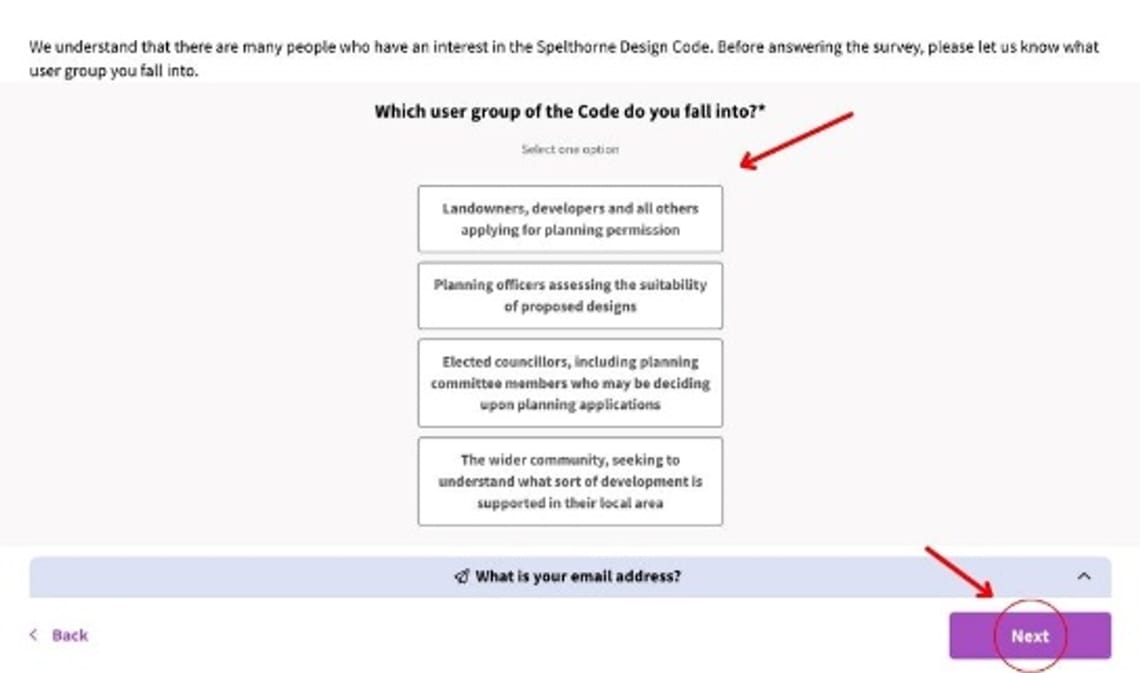
Step 5: Read the information on how to answer the survey and scroll down. Answer the quick question on which user group you fall into and click ‘Next’ to go to the survey.
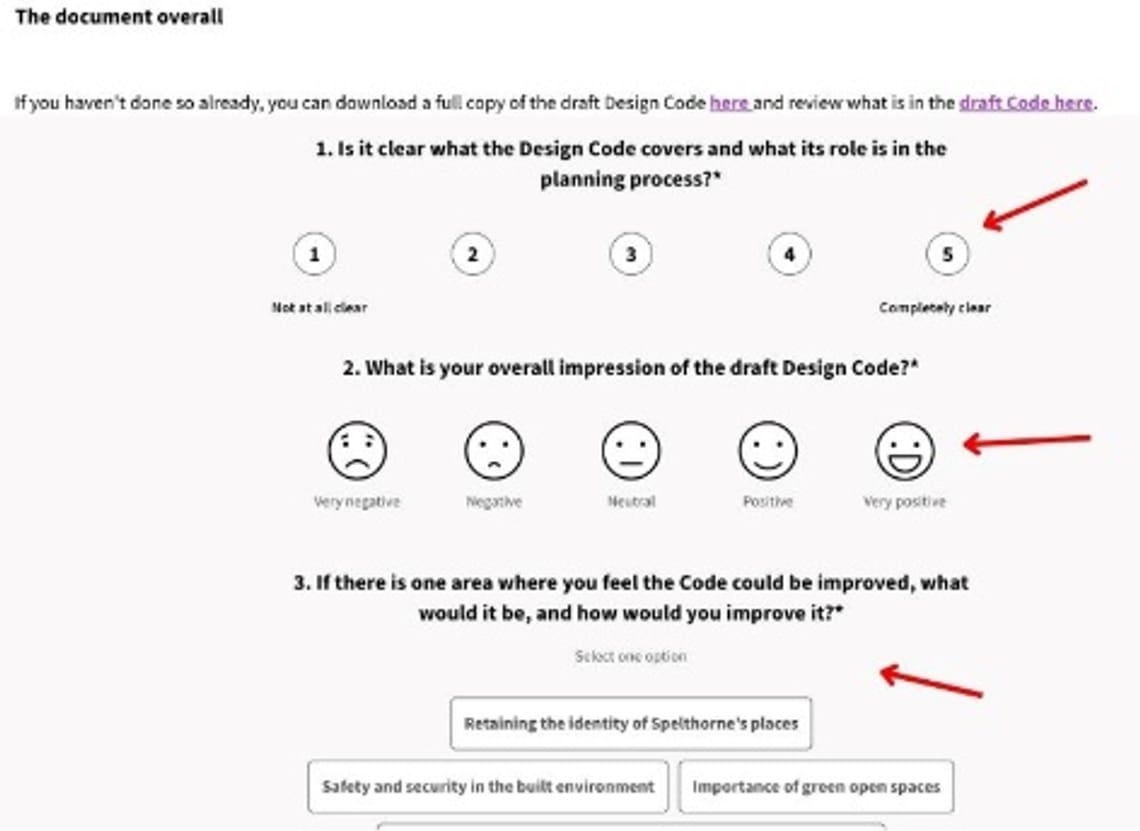
Step 6: Answer the few questions on the draft Code overall and click ‘Next’ at the bottom of the page.
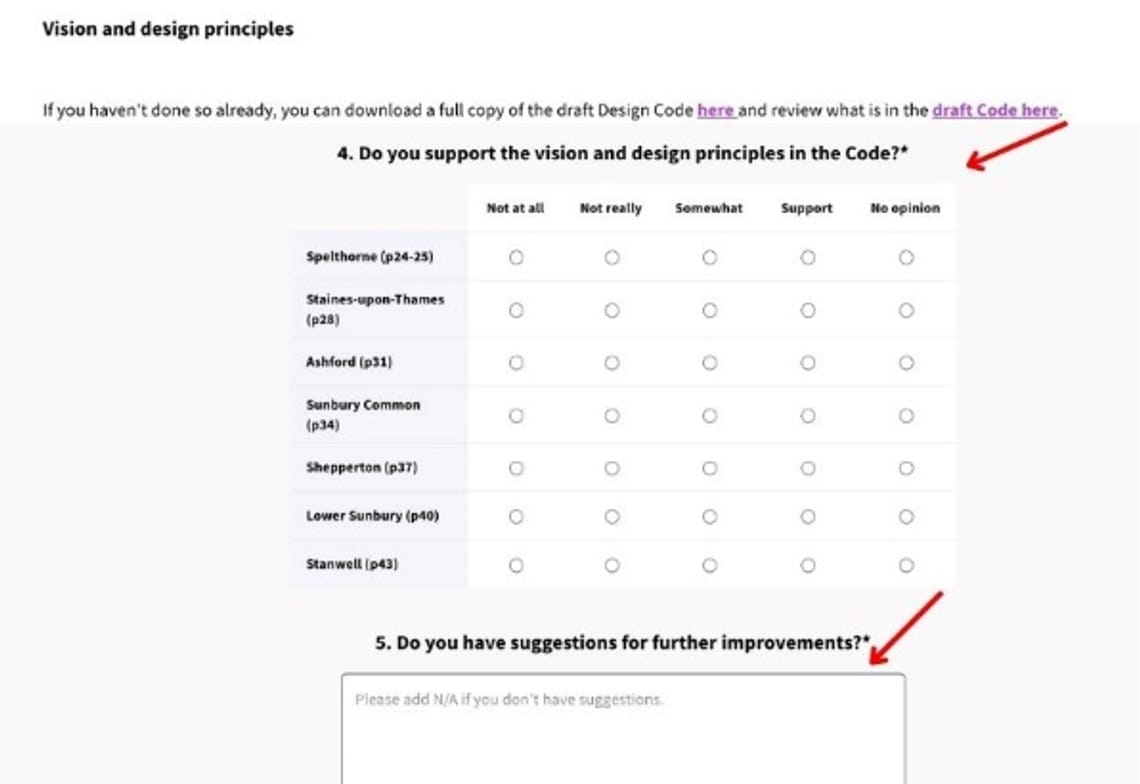
Step 7: Tell us if you support the vision and design principles for different areas. You can also make any further comments and then click ‘Next’ at the bottom of the page.
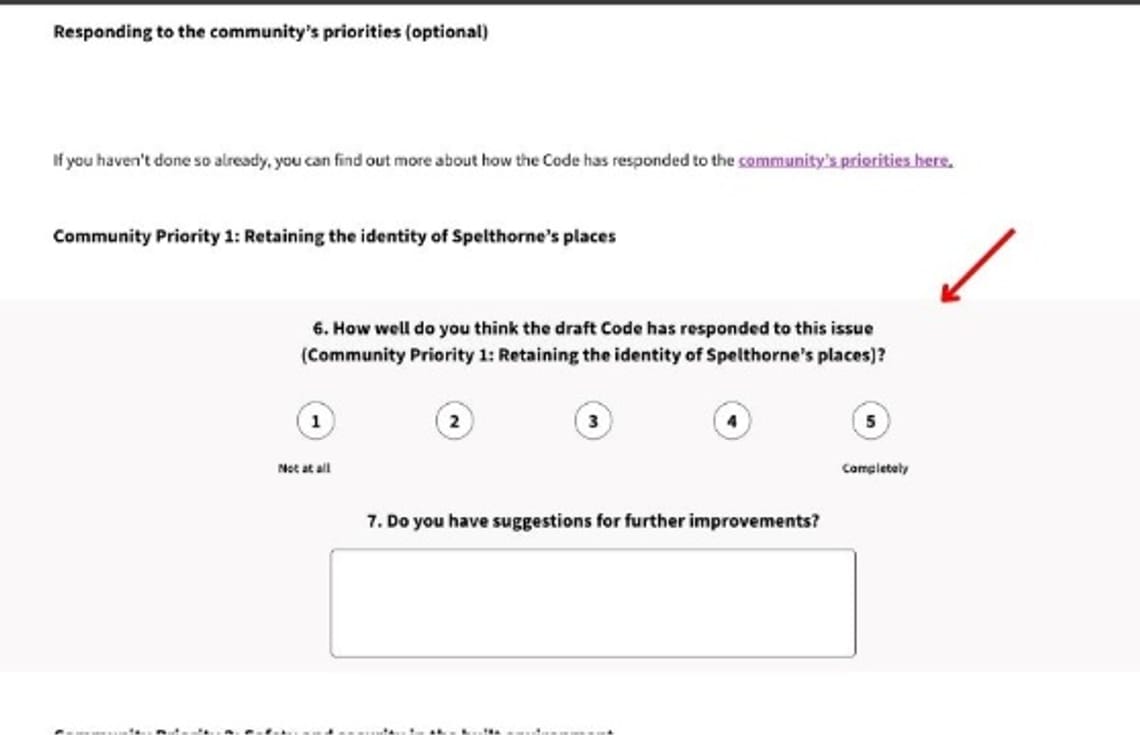
Step 8: If you’d like, also let us know what you think about the Code’s response to the community’s priorities, then scroll down and click ‘Next’ at the bottom of the page.
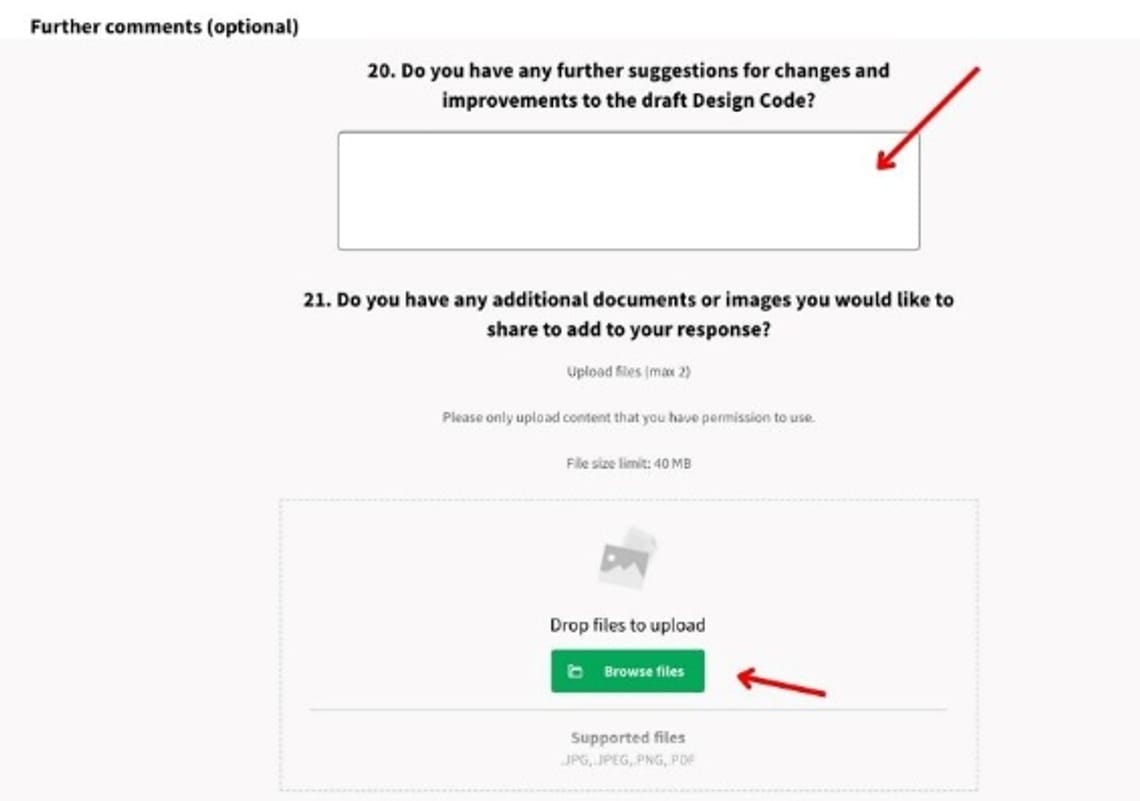
Step 9: You can also suggest any other changes or improvements and additionally upload a photo or a file. Then click ‘Next’ to submit your response.
Don't miss out on staying informed! Sign up on the Spelthorne Design Code Commonplace homepage to receive the latest updates about the project. Your voice matters, and together we can create a vibrant, sustainable, and inclusive future for Spelthorne!
Stay Informed
Follow our projects to get notified of upcoming engagements and the latest project related news.