Submit a site via the Call for Sites Survey- View the Step-by-Step Guide!
See below a step-by-step guide on how to submit a site via the Spelthorne Call for Sites survey.The Spelthorne Call for Sites helps the Council to understand what land may be available for future home
Spelthorne Borough Council Hub
See below a step-by-step guide on how to submit a site via the Spelthorne Call for Sites survey.
The Spelthorne Call for Sites helps the Council to understand what land may be available for future homes, jobs, community facilities and environmental improvements across the Borough. By suggesting a site, you can help shape how Spelthorne grows over the coming years. The Call for Sites is an open invitation for anyone - including residents, landowners, community groups and businesses - to put forward land they believe could have potential for development or other beneficial uses. This helps us build a complete picture of land availability and local opportunities.
How to submit your site
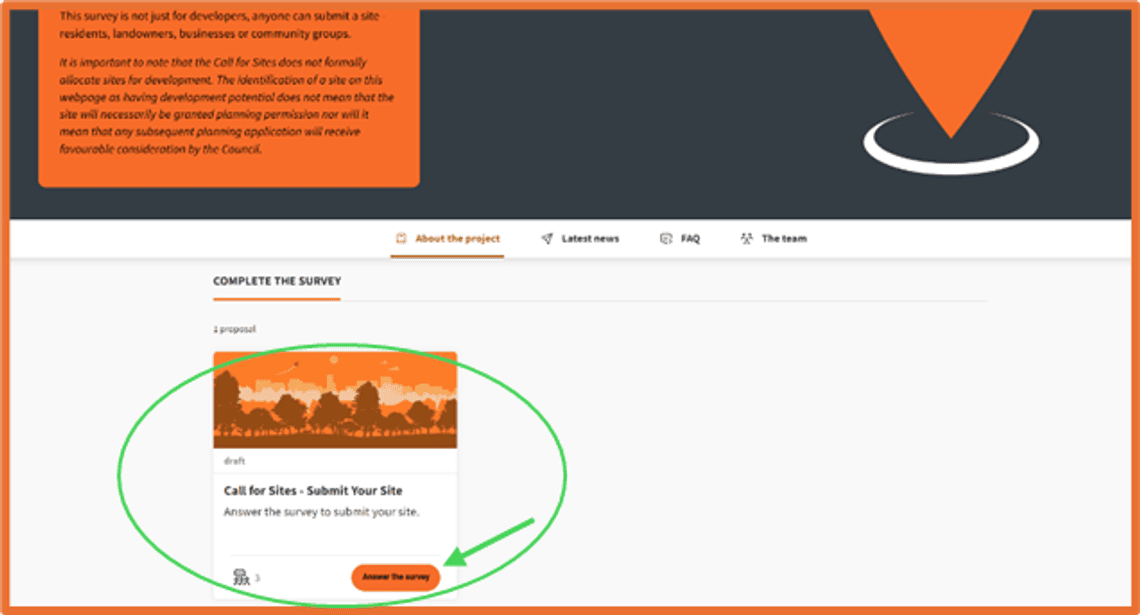
Step 1: Go to the Call for Sites home page and scroll down to the tile shown. Click on the tile ‘Call for Sites- Submit Your Site’
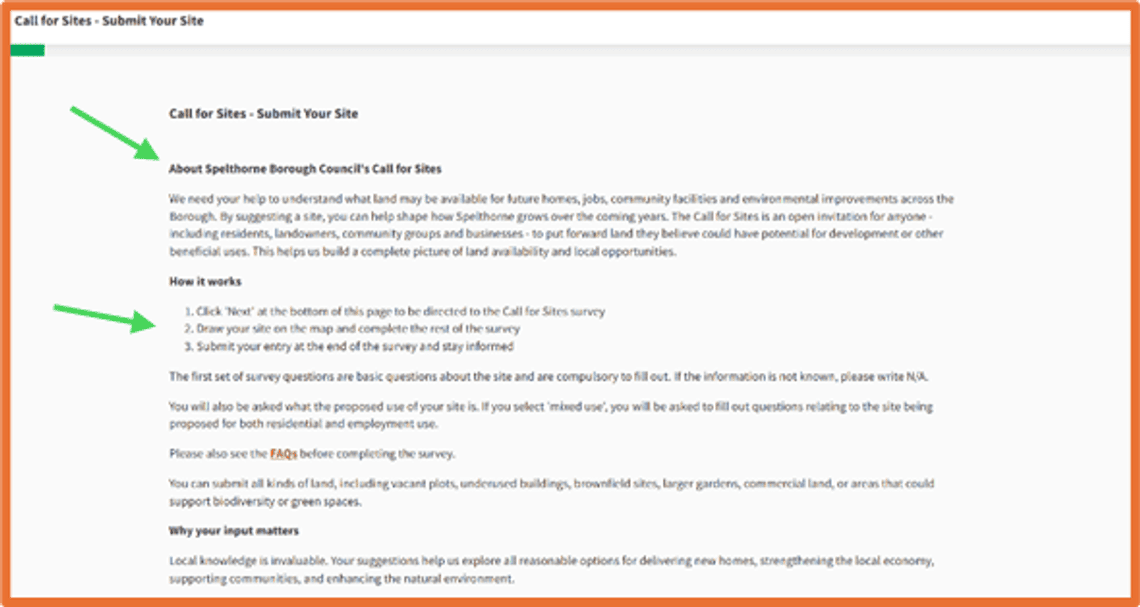
Step 2: Read the additional information about the Call for Sites and how to answer the survey. Then scroll down and click ‘Next’ at the bottom of the page to proceed to the survey.
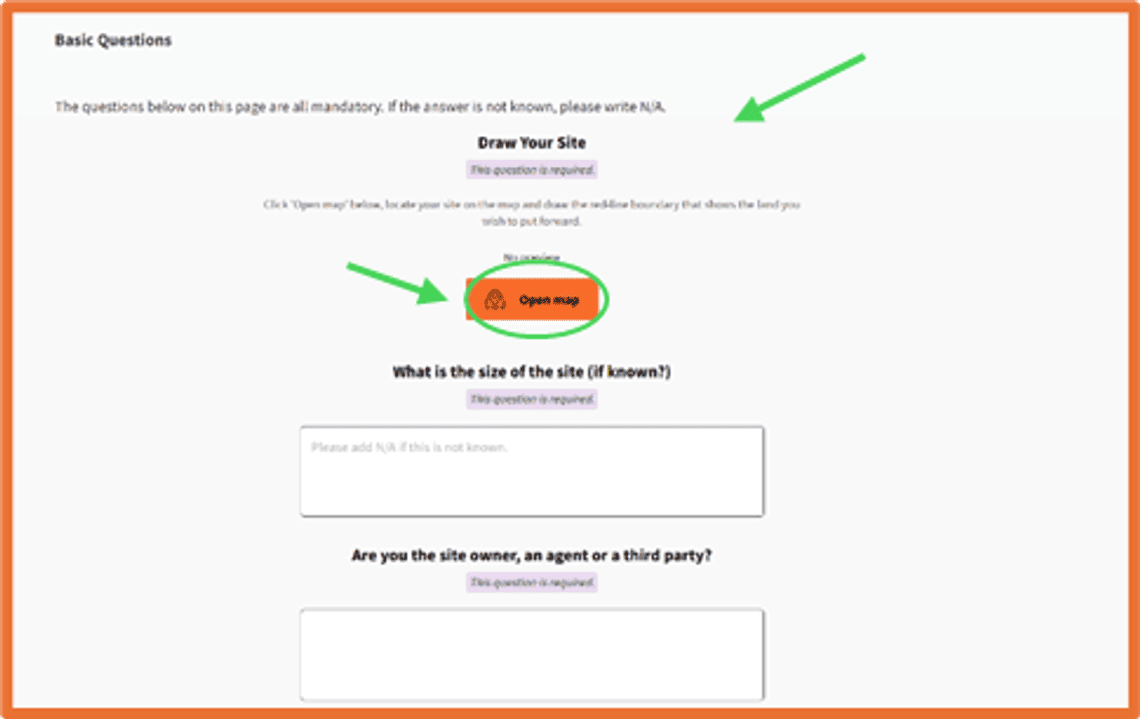
Step 3: Answer a series of general questions, which are all compulsory to answer. If you do not have the information, you can write ‘N/A’. The first part of the question page requires you to draw your site. To do this, click ‘Open map’ and see the next step 4 for guidance.
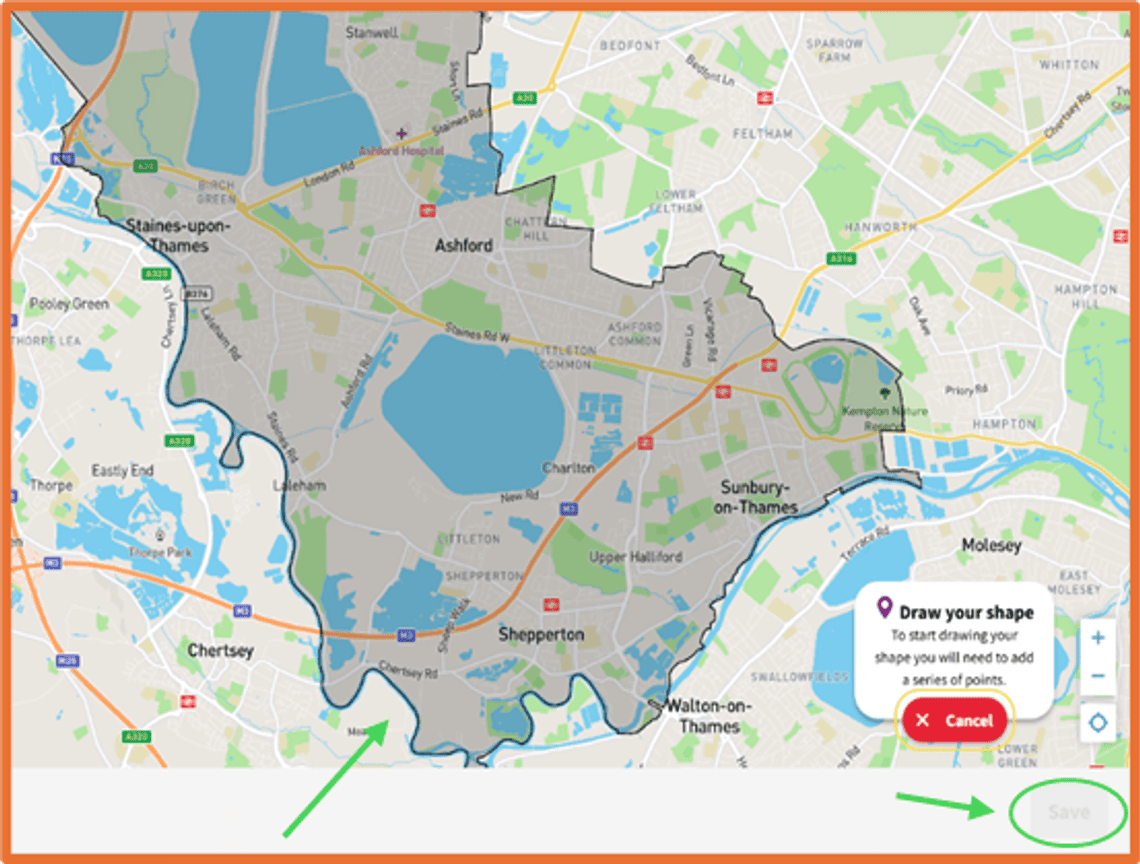
Step 4: You can draw your site by zooming in on the map to identify its location and then plotting the points of the site. Follow the instructions that pop up in the bottom right of the map at each step. To finish drawing your site, click on the first point you plotted to complete the shape and click ‘Save’ in the bottom right of the page. You will be directed back to the basic questions page. Answer the rest of the questions and click ‘Next’ at the bottom of the page.
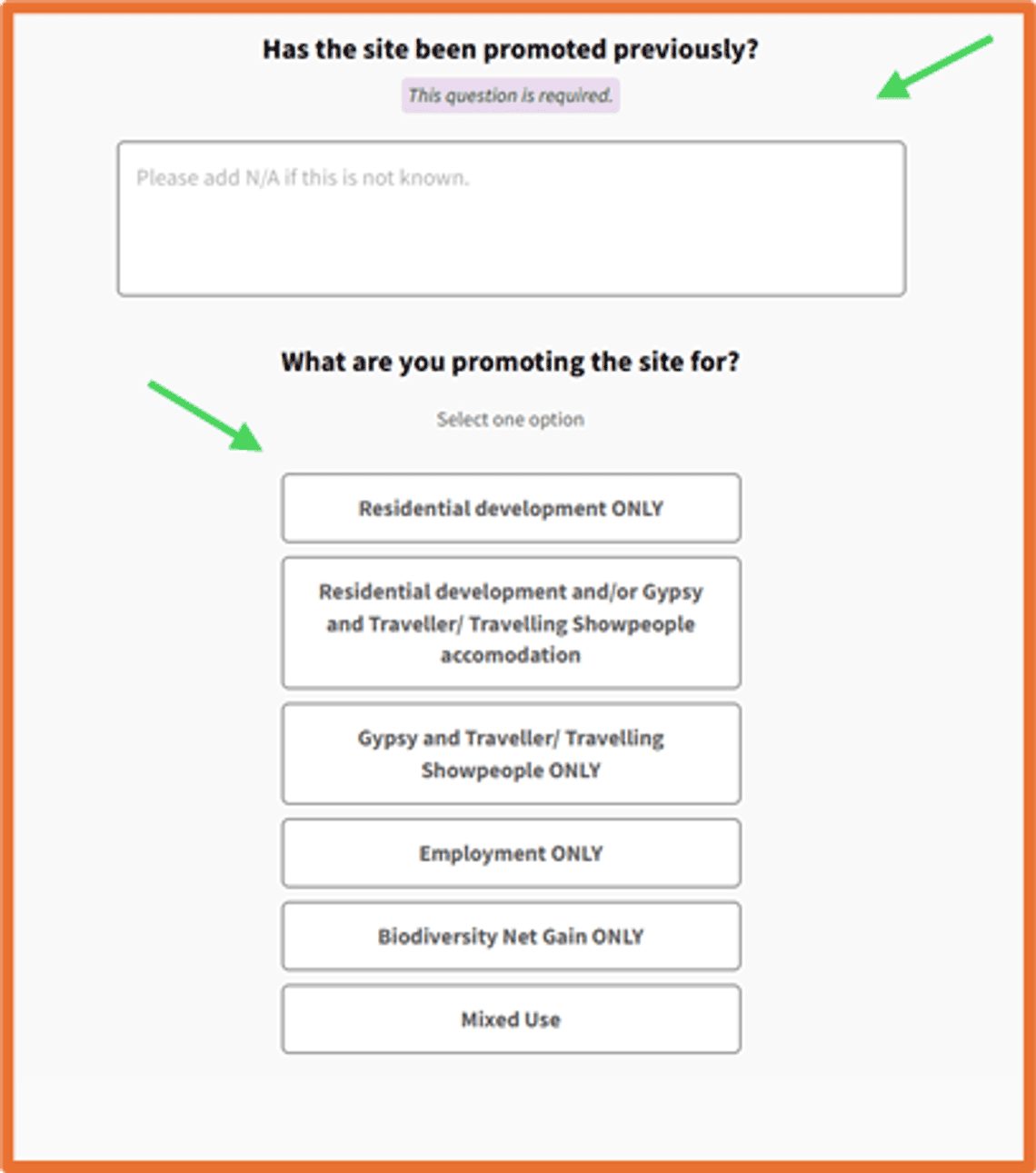
Step 5: You can indicate what you are promoting the site for. If you select ‘Mixed Use’ you will automatically be directed to answer the survey questions on promoting the site for residential and/ or Gyspy and Traveller/ Travelling Showpeople use as well as employment use. Click ‘Next’ at the bottom of the page to be directed to questions relevant to the use you have selected.
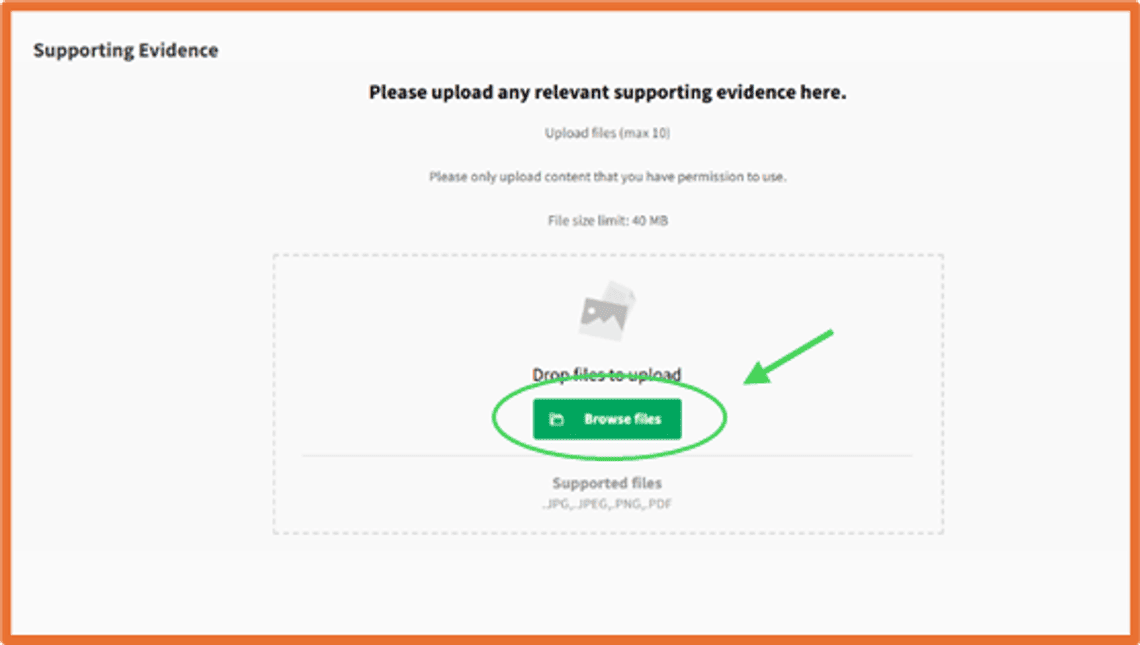
Step 6: You can also upload any supporting evidence for your site submission. Click ‘Browse files’ and select those you’d like to upload. Then click ‘Next’ at the bottom of the page to complete your submission.
If you have any questions relating to the Spelthorne Call for Sites, you can email planning.policy@spelthorne.gov.uk.
Why get involved and why this matters
Local knowledge is invaluable. Your suggestions help us explore all reasonable options for delivering new homes, strengthening the local economy, supporting communities, and enhancing the natural environment.
Do you want to understand more about the Spelthorne Call for Sites before submitting your site?
If you have any questions or would like to see our frequently asked questions, go to our Call for Sites FAQ page. If you have any other questions, we’d love to hear from you and you can submit them in the question box at the bottom of the page.
If you haven’t already, you can also subscribe with your email address on the Call for Sites home page to receive any news and updates on the Spelthorne Call for Sites. You can also learn more about other strategic planning projects and consultation opportunities on this Strategic Planning Engagement Hub and stay up-to-date by subscribing with your email address on the home page.
Stay Informed
Follow our projects to get notified of upcoming engagements and the latest project related news.